Call analysis
One call, fully opened up: the audio, the transcript, what was said and felt on both sides, and where the score came from.
Opening a call
Three routes lead here:
- The Preview (eye) action, or the row itself, in Recent Calls on the dashboard.
- A notification — when a colleague tags you in a comment, the bell takes you straight to that call.
- A direct link. The URL carries the workspace and call ID, so it can be pasted into a ticket or a chat and it will open the same call for anyone with access.
Header and Player
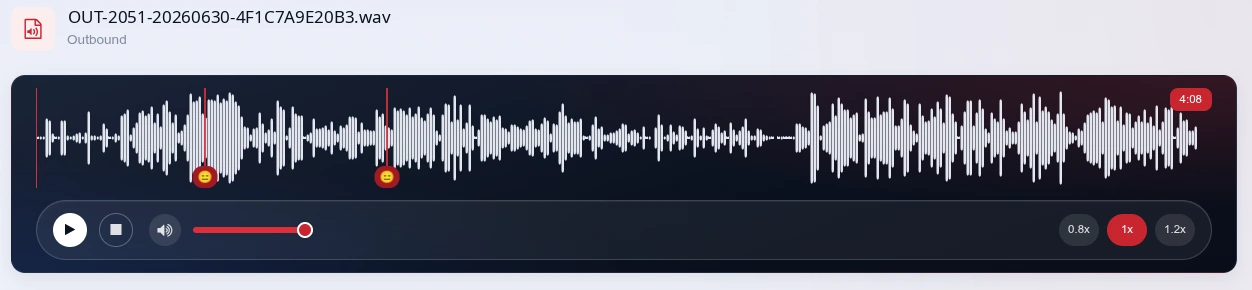
The header names the audio file and, underneath, the call direction and duration. Inbound or Outbound is inferred from the filename prefix, so it appears when your recorder’s naming convention includes it.
The waveform player below it gives you:
- Play / pause and stop;
- playback speed presets, for skimming a long call;
- a seekable waveform — click anywhere to jump, and quiet stretches are visible as flat sections, which is often how you spot dead air before you read about it;
- the elapsed and total time.
The three headline stats
| Stat | Meaning | How to read it |
|---|---|---|
| Overall Sentiment | Sentiment of the call as a whole, from the transcript. | Green positive (High), amber neutral (Medium), red negative (Low), with a three-bar strength meter. |
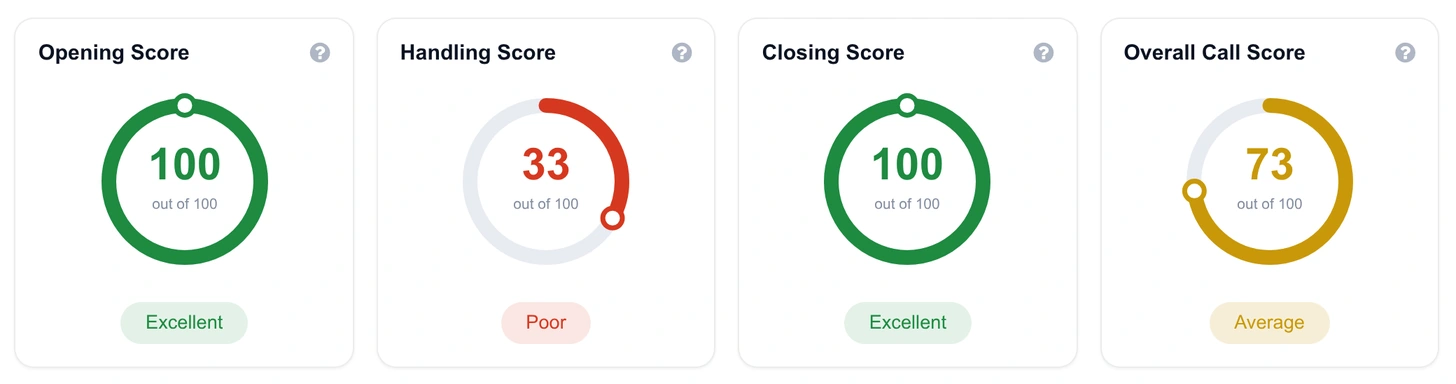
| Overall Call Score | The call’s score out of 100, built from the opening, handling and closing weightage set on the workspace. | 90+ Excellent · 75–89 Good · 50–74 Average · under 50 Poor. |
| Talk Ratio | Share of the call the agent spent talking. | Very high suggests the agent talked over the customer; very low can mean a passive agent or a long complaint. Compare against your workspace’s percent-talk goal. |

Text sentiment
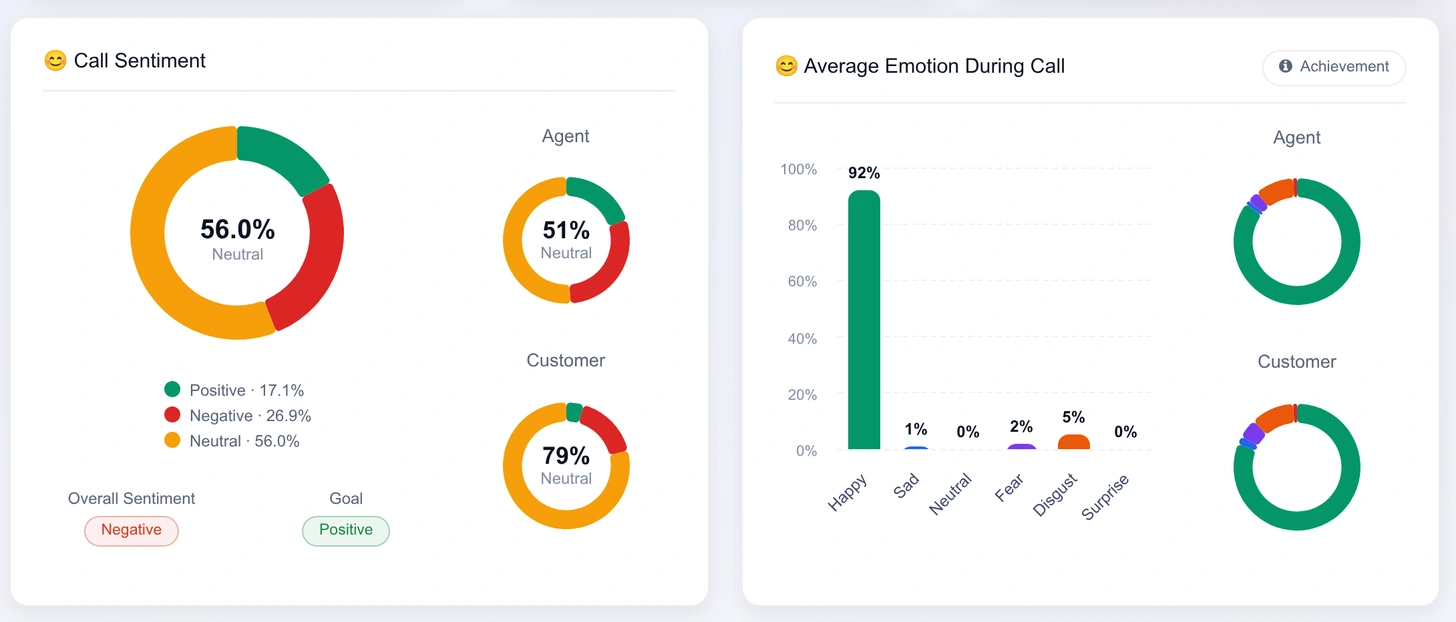
Sentiment is reported three ways: for the whole call, for the agent alone, and for the customer alone — each as a donut with the dominant sentiment in the centre. The split is what makes it useful: a call that is negative overall but positive on the agent’s side is usually a legitimately upset customer being handled well, which is a very different coaching conversation from an agent who turned the call negative.
Emotions
Emotion comes from the audio, not the words, across six classes — happy, sad, neutral, fear, disgust and surprise — again for the full call and per speaker. Where the workspace has emotion targets configured, a benchmark strip shows how this call compares against them.
Sentiment reads what was said; emotion reads how it sounded. Polite words in a fearful or disgusted voice are the pattern that manual sampling misses most often, and it only shows up when you look at the two side by side.
Call summary
A short written summary of what happened on the call — enough for a supervisor to get the gist without listening. The Listen button reads it aloud, which is handy when you’re working through a batch. Use the summary to triage, then use the audio and transcript to verify before acting.

Talk, Silence and Cross talk
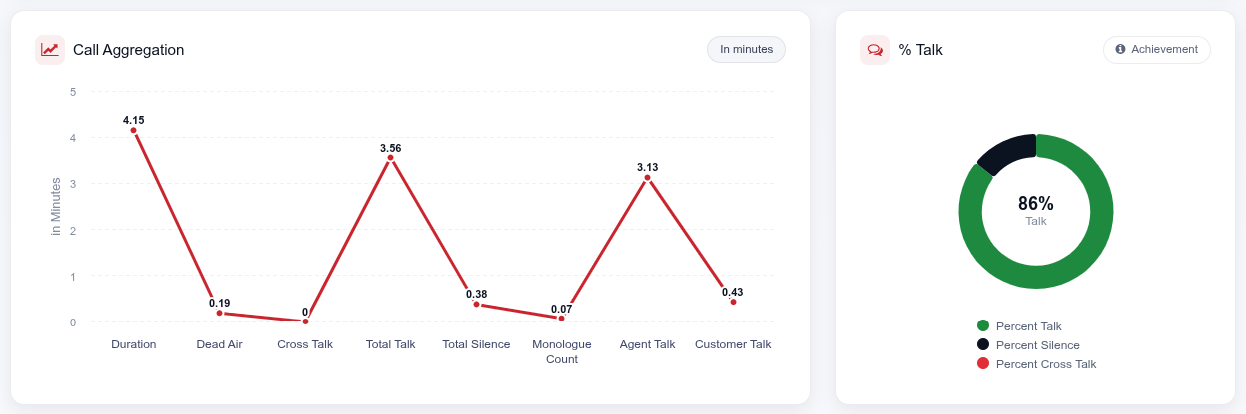
The aggregation panel covers the mechanics of the conversation:
- Percent Talk How much of the call was the agent speaking.
- Percent Silence Dead air. Long silences point at hold behaviour, tool problems or an agent hunting for information. The threshold that counts as dead air is set per workspace (3–10 seconds).
- Percent Cross Talk Both parties speaking at once — interruption. High cross talk on negative calls is one of the most reliable escalation signals in the platform.
Customer Interaction Indicator
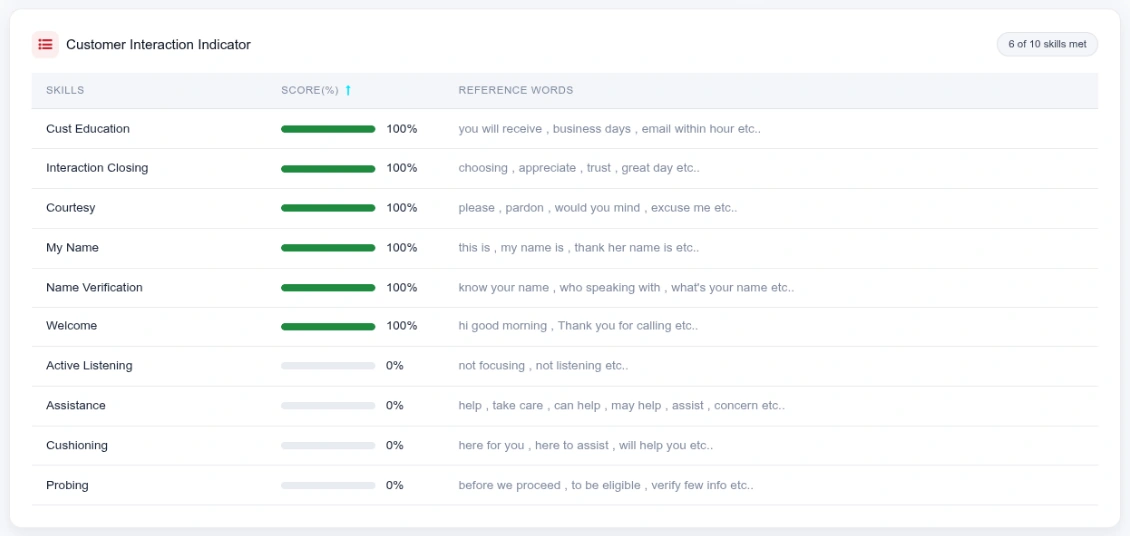
This is the soft-skills checklist, scored per call. Each row is a skill, a score bar, and the reference words the platform listened for. The header chip reports how many skills were met — for example 7 of 10 skills met — and the column is sortable, so the misses float to the top.
| Skill | What it looks for |
|---|---|
| Welcome | A proper greeting at the top of the call. |
| Name Verification | Confirming who the agent is speaking to. |
| My Name | The agent introducing themselves. |
| Courtesy | Please, pardon, excuse me — basic politeness markers. |
| Active Listening | Signals the agent was engaged rather than reading a script. |
| Cushioning | Reassurance — “I’m here to help you”. |
| Probing | Questions that establish the real problem. |
| Assistance | Offering concrete help. |
| Cust Education | Setting expectations — what happens next, and when. |
| Interaction Closing | A clean close: thanks, appreciation, next steps. |
Call score
The score card breaks the number into its three stages, each with the parameters it draws on:
| Stage | Parameters |
|---|---|
| Opening Score | Welcome · Name Verification · My Name |
| Handling Score | Courtesy · Cust Education · Active Listening · Assistance · Cushioning · Probing |
| Closing Score | Interaction Closing |
The Overall Call Score combines the three using the weightage on the workspace, so a collections floor can weight handling above opening while a sales floor does the opposite. An info control on the card shows the calculation method with your workspace’s current weights filled in. Change the weights in Goals & targets.
Transcript tab
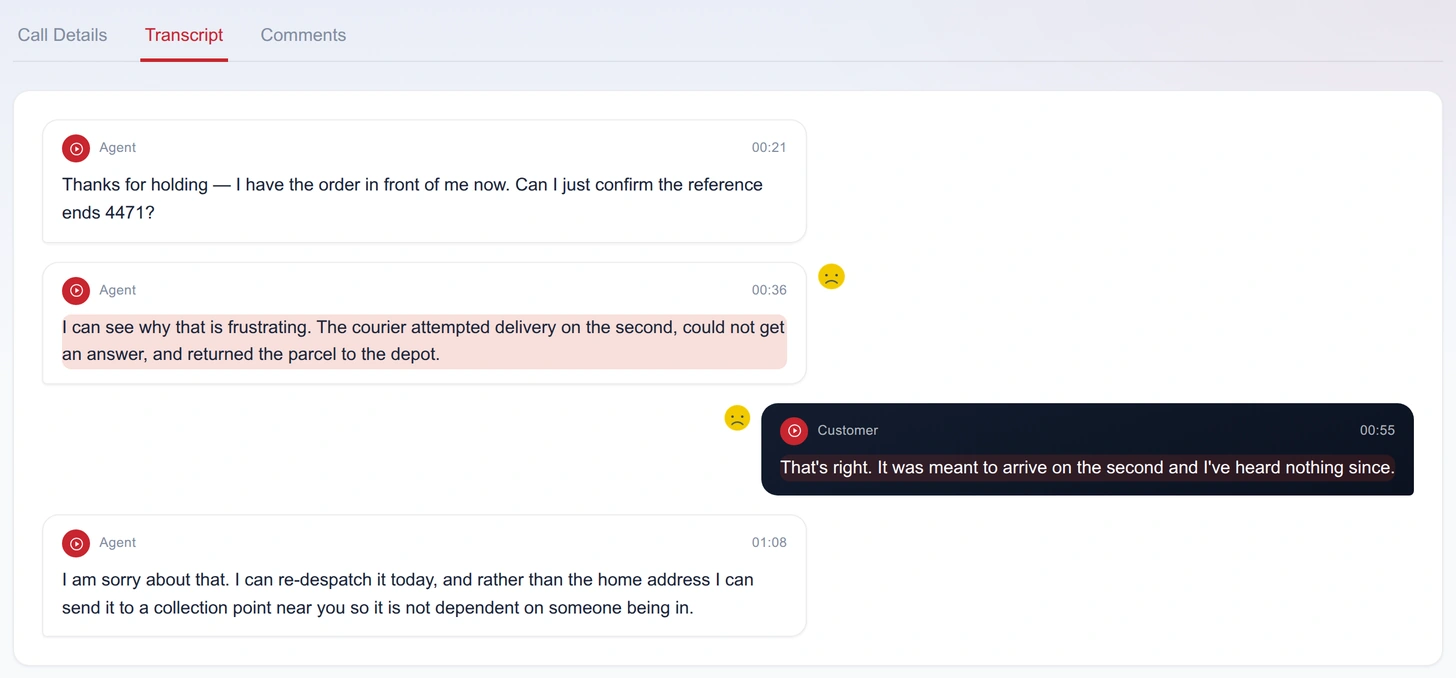
- Speaker separated — every turn is labelled Agent or Customer.
- Click to jump — selecting a line moves the player to that moment. This is the fastest way to verify a flag: read the line, hear the tone.
- Coaching chips — flagged turns carry a chip that opens the detail: the Issue, what was Flagged, and a Say instead suggestion you can hand to the agent verbatim.
- PII masked — where masking is enabled on the workspace, names, account numbers and ID numbers are redacted in the transcript. See PII masking.
Comments tab
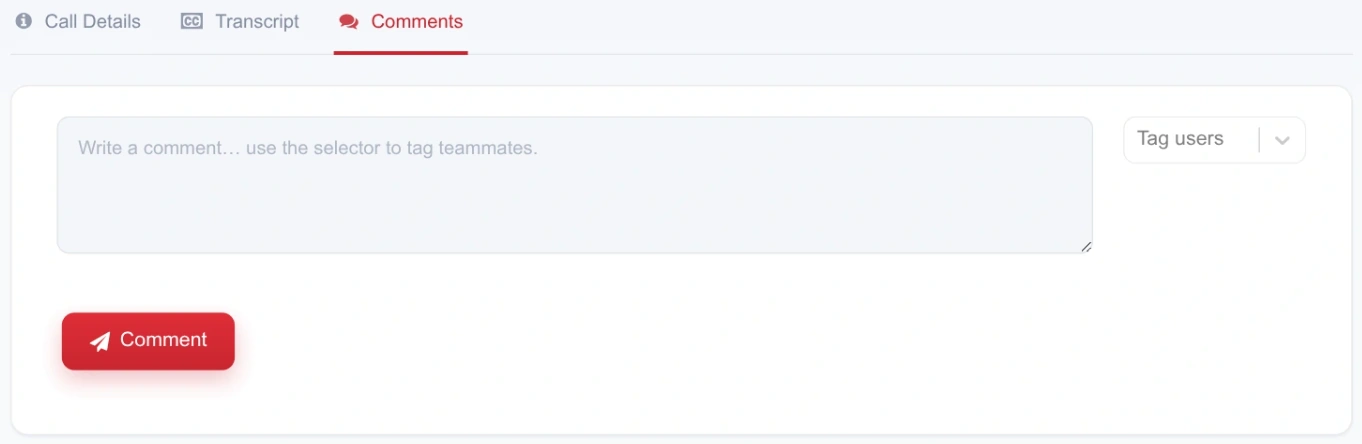
Comments keep the QA conversation attached to the call instead of scattered across email. Write a note, tag colleagues from the selector, and post — the people you tagged get a notification whose click-through opens this exact call. The tab is available to admins and users; agents don’t see it.
A practical review workflow
- Start from the negatives Filter the dashboard to negative sentiment over your date range.
- Read the summary Thirty seconds tells you whether the call is a real problem or an angry customer handled correctly.
- Check the split Agent-side sentiment and emotion separate "customer was upset" from "agent made it worse".
- Verify at the source Jump from the flagged transcript line into the audio. Never coach on a flag you haven't heard.
- Look at the mechanics Talk ratio, silence and cross talk usually explain why the call went the way it did.
- Leave the coaching note Comment on the call and tag the supervisor, then bookmark it so it's in your next session's list.